
Patients and tooth chart
The full record, the FDI tooth chart, medical history and treatment plans.
FinClinic handles the patient record, the schedule, payments and tax filing — G50, IFU, CASNOS and CNAS included. In Arabic and French, installed on your own hardware.
Windows 10 or 11 (64-bit) — 180 MB — version 1.2.0 — 14-day trial
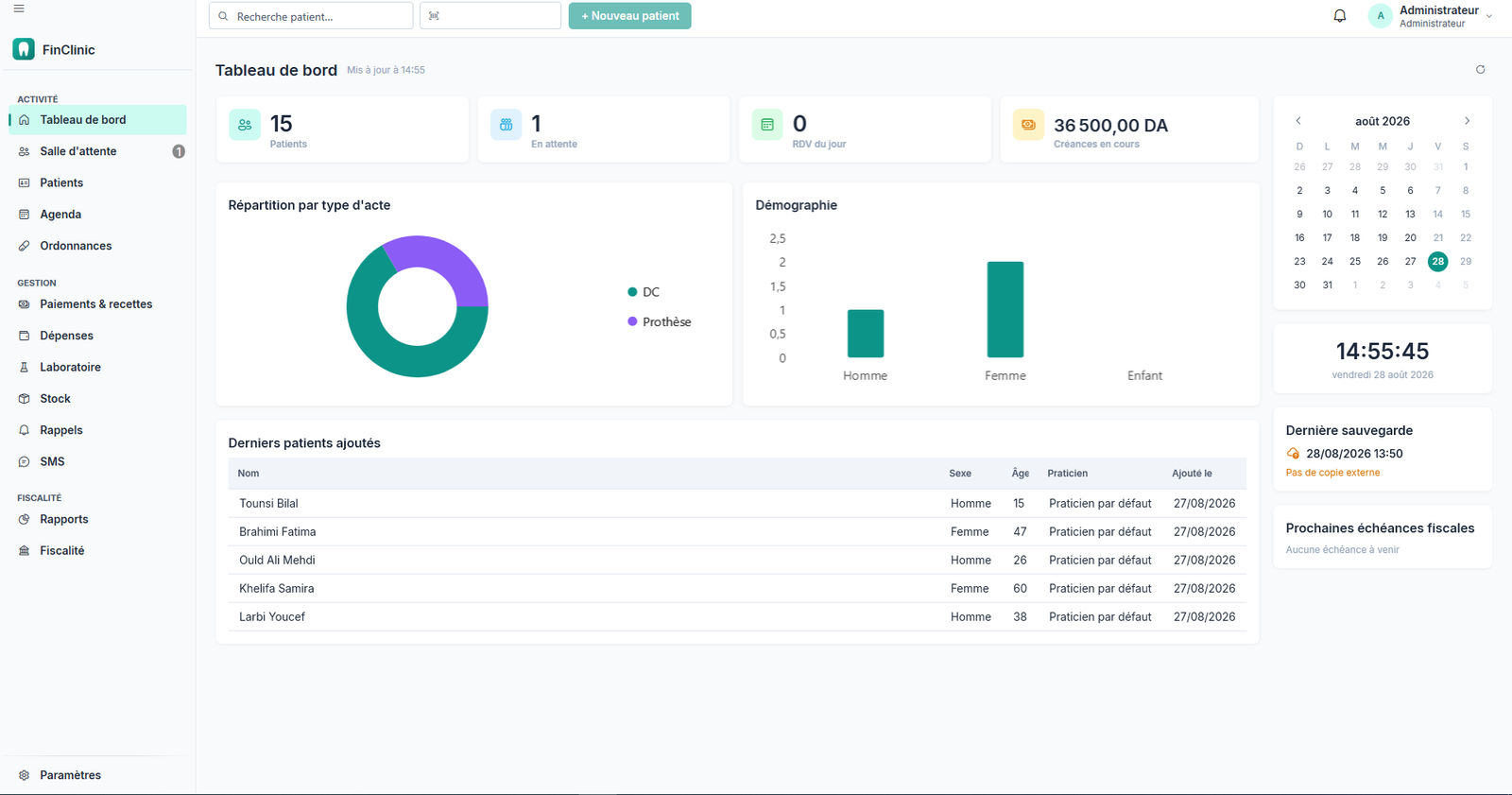
Eighteen modules, shaped around a real day in a practice rather than around a feature list. These are the nine you will open every day.
The full record, the FDI tooth chart, medical history and treatment plans.
Appointments, a live waiting queue, and several workstations on the practice network.
Reusable templates and paediatric dose calculators, so nothing is recalculated chairside.
What is owed, what is paid, what is dragging — and the payment plans to follow it.
Cash journals, end-of-day closing, and receipts attached to expenses.
Work orders sent, those returned, and those running late.
Alert thresholds, expiry dates, guided stocktaking and valuation.
Images attached to the patient record, and comparable with one another.
Ten reports and a dashboard that shows the day's activity at a glance.
No server to rent, no subscription to sign, no technician to call out. One file, and the software handles the rest.
A single file to run. The database and everything the software needs are inside it — nothing else to install, nothing to download along the way.
The trial starts on its own, with no sign-up screen and no card. Every function is open; printed documents carry a trial notice until activation.
A product key, an internet connection for the length of the exchange, and the software is activated for good. After that, a connection is never asked for again.
The practice runs on its own network, internet outage included. The backup leaves on its own every evening, encrypted, to the disk and to a USB stick.
Foreign software runs a practice. It does not know the G50, the IFU or CASNOS. FinClinic does, because it was written here.
Prepared from your own journals, month by month, and kept as a record once issued.
The flat-rate tax estimated all year, and a warning when turnover approaches the threshold.
The practitioner's contributions and employee social filings, with the payroll behind them.
A closed month stops moving: what has been declared cannot be rewritten afterwards.
The difference does not show chairside. It shows on the 20th of the month, when the G50 is due, and in the waiting room, when a patient reads their prescription.
Knows nothing of the G50, the IFU or CASNOS. Everything is re-keyed at the accountant's.
G50, IFU, CASNOS, CNAS and the IRG scale, with eleven deadlines on the calendar and twenty-one dated tax parameters that follow the finance act.
At best a translation laid over an interface designed left to right.
The whole screen flips, and so do printed documents: a prescription in Arabic really comes out right to left, not merely translated.
Formats inherited from elsewhere: a thousands separator that changes meaning from one language to the next.
The dinar written the same way in Arabic and in French, so a receipt handed to a patient cannot be read two ways.
A database you fill in yourself: procedures, medicines, wilayas.
Fifty-eight wilayas, sixty-two priced dental procedures and two hundred and eight medicines from the Algerian market, present at first start.
Arabic is not a translation laid over a French interface: the entire screen flips right to left, tables, menus and printed documents included.
FinClinic installs on your own hardware. An internet outage does not stop a consultation, and your patients' medical records never leave your practice.
Consultations, care and payments with no connection at all
Automatic encrypted backups, with a copy on external media
Audit log: who did what, when, and from which workstation
Separate accounts for practitioner and front desk, with distinct rights
Your practice name, a contact, a phone number, an email address, your wilaya, and the fingerprint of the machine the licence sits on. That is all, and it fits on one line of a register.
No patient record, no appointment, no amount, no image. Your backups are encrypted with a passphrase only you hold: without it they are unreadable files — including to us.
The answers below describe what the software actually does today, not what is planned.
Once only: on activation day, for as long as it takes to exchange your product key for your licence. After that, never again. The practice runs on its own network, and an internet outage interrupts no consultation, no payment and no printing. The fourteen-day trial gives you time to find a connection if you have none at the practice.
On a computer in your practice, in a database installed alongside the software. Nothing goes to a remote server: not the records, not the appointments, not the images, not the amounts. And if you uninstall the software, your data stays where it is — uninstalling never takes it with it.
A full backup leaves on its own every evening, encrypted, to the disk and to a USB stick if you leave one plugged in. Seven daily backups are kept, plus one a week for a month. Restoring happens on a fresh machine with your passphrase, and your licence transfers to the new workstation — two transfers are included, because a failed disk is not your fault.
The software goes read-only. You can open every record, print, export and back up — you simply cannot enter new work. Nothing is deleted and nothing is locked away: a practice is legally required to keep its records, and software able to make them inaccessible has no place with you.
Yes. The ten reports and the accounting export come out in Excel and PDF at any time, including once the licence has expired. And the backup archive holds a standard export of the entire database with all your attachments: it opens with the usual tools, without asking us for anything.
Yes, on the practice network, with one account per person and three permission profiles: administrator, practitioner, front desk. Each sees only what concerns them — the receptionist reprints a prescription without reaching the tax module. Permissions are enforced by the software itself, not merely hidden on screen. Each person keeps their own language and theme, carried by the account rather than the workstation.
Every function, every module, with no card and no sign-up screen: the trial starts the first time you open the software. One limit, and it needs stating: documents printed during the trial carry the words "Not valid — trial version", in both languages. So you can test everything, but you cannot hand a prescription to a patient before activating.
The licence is tied to the workstation that holds the data. The other machines in the practice — front desk, second chair — connect to it with no extra licence. The software is designed for one to four workstations on the practice network.
Three situations from a practice, and what FinClinic actually does in them.
Sample Sample testimonials, pending the first feedback from practices.
The 20th of the month used to mean an evening copying the cash book out for the accountant. Now the G50 is prepared from what was actually taken in, and I review instead of re-keying.
Our older patients read Arabic better. That the prescription comes out in Arabic, the right way round, without my having to change anything — that is what settled it.
The neighbourhood power cut no longer stops us. The software is on our own machine, the evening backup goes to the USB stick, and I know where my records are.
The trial opens every function of the software. Only printed documents carry a trial notice until activation — and the data entered during those fourteen days stays yours, whether you activate or not.
Fourteen days, every function, no card required
Activation by product key, tied to your workstation, in one connection
Data entered during the trial is kept